

WELCOME
The LocationsHub Guide
ADMIN
Create Your Account
Add or Edit Your Profile Info
Reset Your Password
Change Your Password
Change Your Email
Update Credit Card Info >
Purchase a Package
Cancel Your Package
Renew Your Account
Change Your Package
Why Your Listing Isn't Live
LOCATION
Add a New Location
Delete a Location
Edit a Location
Edit Location Contact
Show or Hide Location Address
Search for Your Location
Share Your Location URL
PHOTOS
Upload Photos
Edit Photos
Rotate Photos
Sort Photos
Delete Photos
LIGHTBOXES
What is a Lightbox?
Create a Lightbox
Sort Locations Within a Lightbox
Share a Lightbox
Managing your property listing(s) on LocationsHub is a simple process. The links on the left will walk you through the main process of listing your location. Bookmark this page for future reference in case you need a refresher.
1. Log In To Your Account
You can update your LocationsHub account’s payment information directly and at any time with just a click of a button. First, log in to your account.
2. Update Your Credit Card Info
Now you’re in your account Dashboard section. Scroll down and click on Billing in the Left column.
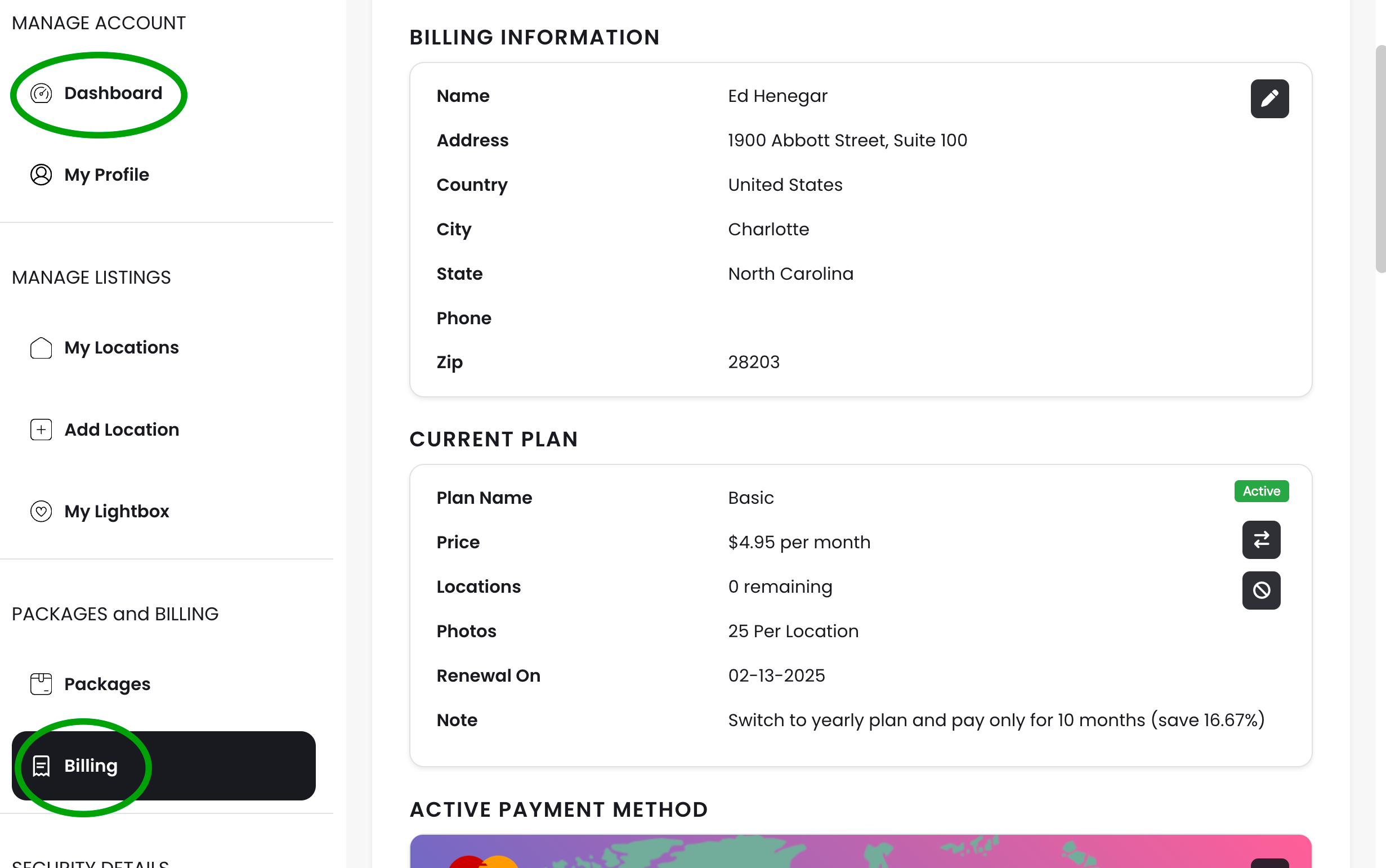
You’re now in the Billing section. You’ll see a credit card image under the “Active Payment Method” section. Mouse over the icon on the Right (see below).
Click on that icon to change your credit card information.
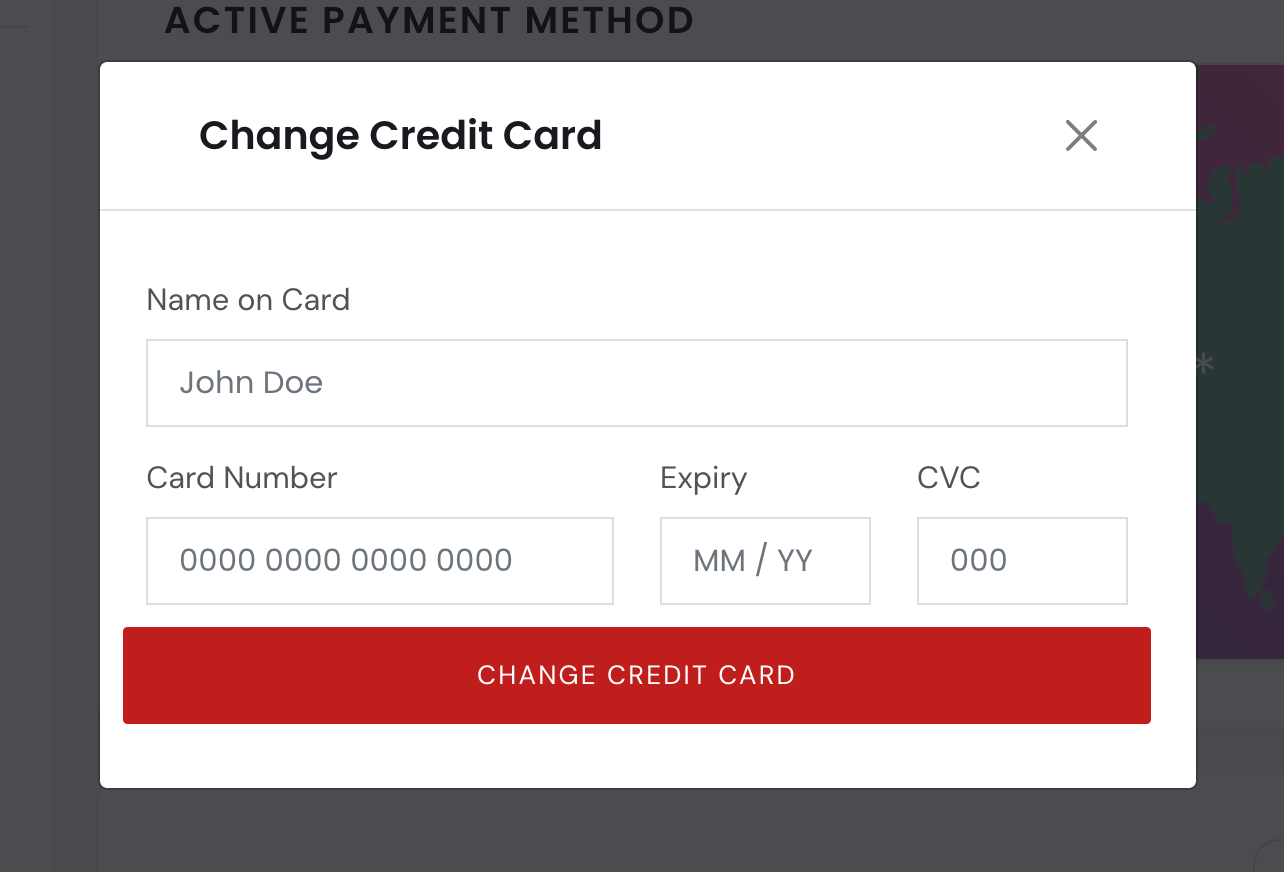
On the next pop-up screen, fill in the new credit card information.
3. Save Your Changes
When you’re done, don’t forget to click the “CHANGE CREDIT CARD” button. Your credit card information will be updated.